
How to prepare photoshop files for export to FCP (cached)
http://www.kenstone.net/fcp_homepage/basic_ps.html
From
Adobe photoshop for photographers
By martin evening
Efficient running
Load Photoshop first, allocating as much RAM memory as possible and run Photoshop on its own. There needs to be plenty of free hard-disk space available and this must at least exceed the amount of available RAM by a margin of around 15 Mb. Regularly clear the clipboard memory (use the Edit > Purge command).
Keep the minimum number of image files open at any one time. Check the 5cratch-disk size by having the status box at the bottom ofthe image/application window set to show Scratch Disk memory usage. Once the left-hand value starts to exceed the right, you know that Photoshop is running short of RAM memory and employing the scratch disk as virtual memory. To copy selections and layers between documents, use drag-&drop actions with the move tool. This will save on memory usage and preserve any clipboard image at the same time. Save either in the native Photoshop format or as an u ncom pressed/u n layered TIFF to the hard disk and not to removable media (nor should a removable drive be used as a scratch disk).
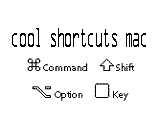
 + or - Zoom in/out with window resizing
 + or - Zoom in/out without resizing window size
zero Fit To Screen
zero Actual Pixels at 100%
TAB Hide all palletes


Using Avid Systems with After Effects (cached)
http://www.adobe.com:80/support/techdocs/141b2.htm
shortcuts for AE 4
[ snaps inpoint of a selected layer to the timemarker
+[ trims inpoint to the timemarker
 ,(comma) timestretches layer inpoint to the timemarker
,(comma) timestretches layer outpoint to the timemarker
J jumps to the next keyframe on the left
K jumps to the next keyframe to the right
I jumps to inpoint layer
O jumps to outpoint layer
[ layer down
] layer up
double click any tool to bring the layer back to its original size/rotation